Script Breakdown
Drop in your screenplay and get every scene broken down: page and length in eighths, interior or exterior, day or night, who's in it and where it happens. Export it to a spreadsheet for scheduling.
- No pop-ups. Just one movie plug.
- PDF, Final Draft, Fade In, Fountain
- Your script never leaves your device
- Made by a filmmaker, for filmmakers
Paste script text
Works best with standard-format scripts. Nothing is uploaded.
Breakdown
Plain CSV files: ·
Breakdown saved.
Free tools, no catch. If you want to give back, check out my indie movie.
Why is it free?
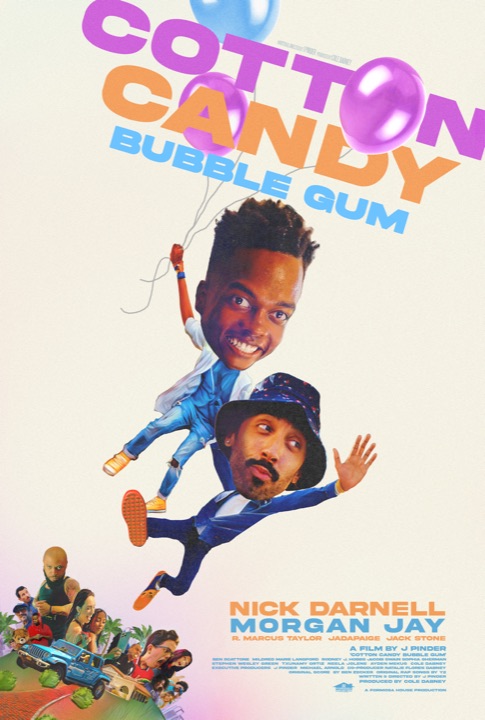
I'm J Pinder, writer and director of Cotton Candy Bubble Gum, and I'm spreading the word about my first indie feature, which premiered at SXSW. I made the film on 0% APR credit cards, so an unconventional marketing plan felt right: build tools people actually need, give them away, and skip the ads. If you find them useful, check out Cotton Candy Bubble Gum, starring Nick Darnell and Morgan Jay.
More about the film on IMDb →Questions
What files can I use?
Screenplay PDFs from any app, Final Draft (.fdx), Fade In (.fadein), Fountain (.fountain), Highland (.highland) and plain text. If you write in WriterDuet, Celtx or Arc Studio, export a PDF or Final Draft file and drop that in.
What are eighths?
Productions measure scene length in eighths of a page. A short scene might be 3/8; a page and a half is 1 4/8. Schedulers add up eighths to plan a shoot day, often aiming for 3 to 5 pages a day on an indie.
How accurate is it with PDFs?
Very good for scripts in standard format. The tool reads where each line sits on the page to tell scene headings, character names, dialogue and parentheticals apart, and measures eighths from the real page positions, so page numbers match the PDF your crew is holding. Unusual layouts, dual dialogue and scanned (photographed) scripts won't come through as well.
Which characters are counted?
Characters who speak. Someone who only appears in action lines isn't listed, since there's no reliable way to tell a character from any other word in capitals. Names are grouped across extensions, so MAYA (V.O.) and MAYA count as one.
How do I tag props, wardrobe and the rest?
Open a scene in Breakdown sheets. Select any words in the scene text and pick a category, or tap a suggestion. Suggestions come from words in CAPS in the action lines (writers capitalize important props, sounds and new characters) and from common words like car, dog, rain or crowd. Nothing is added unless you confirm it.
Is my work saved?
Your breakdown saves in this browser as you work. Use "Save project file" to keep a copy, move it to another computer, or share it with your team. Drop the file back in here to pick up where you left off.
What do the colors mean?
They follow the common breakdown convention: cast red, stunts orange, extras green and yellow, special effects blue, props purple, vehicles and animals pink, sound brown. Wardrobe, makeup and special equipment get their own marks so every category is easy to spot.
Is my script uploaded?
No. Your browser reads the file and does the breakdown itself. The script never leaves your device, which matters for unproduced work.
Why is it free?
I'm J Pinder, writer and director of Cotton Candy Bubble Gum, and I'm spreading the word about my first indie feature, which premiered at SXSW. I made the film on 0% APR credit cards, so an unconventional marketing plan felt right: build tools people actually need, give them away, and skip the ads. If you find them useful, check out Cotton Candy Bubble Gum, starring Nick Darnell and Morgan Jay.